Paper-less Office or Less-paper Office?

For a decade or so marketing hype has promoted the paperless office. Courts have begun to accept and in some instances require filings to be digital, on diskette, and/or on paper. According to a recent study 41 states now allow digital copies of documents into evidence. Late in 2002, the Supreme Court of Florida ordered mandatory filing of documents on computer diskette. Similarly, some federal courts, including the Eleventh Circuit, require electronic filing. Some civil and a few criminal cases are generating digital evidence and digitally imaged documents.

A typical white-collar criminal case can easily involve several gigabytes of data and/or several thousand printed pages of documents. Prices for Computer storage devices have plummeted. Storage capacity has sky-rocketed. A single gigabyte of storage can hold around 50,000 pages. Storage costs less than $1.50 per gigabyte. The costs associated with converting paper records to imaged and indexed data: around 24 cents a page.

To digitize or convert paper records to digital information includes high-speed imaging or scanning each page, followed by optical character recognition of the text in the documents, and finally associating the text of each image with the image files so that all of the documents could be searched by computer rather than trudging through the boxes that can fill a downtown conference room. This database containing the documents can be a deadly weapon in your arsenal. Offensively, patterns can be discerned and statistically relevant information can be easily analyzed. Defensively, smoking guns can be found and their problems addressed.

At first light, the most useful result of creating a digital copy of documents is analytical. However document imaging can also be useful for depositions, hearings, and trials. Once digitized the documents can be easily displayed on an ordinary television set, a computer monitor, a liquid crystal display projector or large screen plasma monitor.

While at the office much of the time, we do not need the original document. In such instances the digital image can be retrieved and reviewed on-screen or printed off the network printer. Document sharing and transmittal of copies is easier than ever once the digital copy of the documents has been produced. Simultaneous access to imaged materials by many users is a snap.

While away from the office, the document image can be retrieved and reviewed from a remote log-in to the network. The images or data can be stored on a notebook computer or on compact disk. Whether a desktop computer from another office, a notebook computer in court, or on a wireless device on the way to court, once the documents and files are accessible from anywhere, your handtruck and its cargo of banker’s boxes may be on its way to the junk heap. In the event of a disaster, copies of the data can be retrieved from storage and restored without missing a beat.

Adobe Acrobat has become the international standard for imaged documents. The program that creates the documents is around $250.00 per license. The program that reads the documents, Acrobat Reader, is free. Acrobat can be installed on almost any operating system, from Windows, to McIntosh, to Unix, to Linux, to Windows handheld devices, and Palm handheld devices. This yields documents that can be reviewed by anyone who receives a document and who obtains the free reader software.

Acrobat documents can be password protected, encrypted, digitally watermarked, made to be read-only, and digitally signed. Once created, an Acrobat copy can be authenticated and there can be high-level assurance that a copy has not been altered.

Can we eliminate the records center and empty our filing cabinets? Can we now eliminate putting pen to paper to sign documents? Do we really want to? What if the client wants his paperwork returned? Answers: Not yet; Yes; No; Oh-oh.

The paperless law office does not address the practicalities of the analog world. Clients may justifiably want their original source documents and courts may require them. This article was created paperlessly and was submitted to the publisher electronically via the Internet. There is not a paper copy of the article in my office. Notwithstanding the utility of digital record storage, and the promise of a paperless office, we are more likely approaching a less-paper office.

I, Spybot

Last year we published an article on securing a cable modem. In the few months since that article, new threats to computer security have arisen. Previously a hardware and/or software firewall coupled with anti-virus protection was sufficient. New threats have arisen from programs that are installed by mere visits to web pages. Recommendations for securing a mobile or home-office computer will be discussed along with some key strategies for protecting us from some new threats that are beyond viral.

Firewalls

A two-tiered approach to security is advisable. First, a hard firewall, as simple as a router can harden you defenses against nefarious efforts to access your computer network. At CentralLaw.com we use a simple device manufactured by LinkSys. It comes in a variety of flavors both wired and wireless. Key point here with the wireless variant is to enable password protection of the device and change the default password. Those with wireless mobile access and nothing better to do play a fairly common game – “war driving.” Contestants cruise the streets of Metropolis searching for unprotected wireless networks or networks whose passwords and username were never changed from the manufacturers’ default settings. Once a wireless connection is found, the players have access to your Internet connection, possibly to you data, and possibly to your office network.

Second, a software firewall is quite useful. They are frequently and often automatically updated and can respond to threats developed after the installation of the hard firewall. Heuristic or artificially intelligent firewalls are available. At CentralLaw.com we use ZoneAlarm. This new generation of protection enables a permission based security system that learns about the user’s legitimate accesses to the network and affirmatively requests permission from the user before allowing a program or process to access a protected computer. The program is trained to learn how and what legitimate users do on the protected computer. The program will log, alarm, and identify the evil-doer, and prevent the wicked from wandering.

Recently, one morning ZoneAlarm caught and blocked a suspicious effort to access a computer resource in our office. The artificially intelligent software firewall noted viral activity that had not previously been permitted by our systems’ users. Later that day, the media publicized the latest viral attack on the world’s computers and suggested users go to their anti-virus software and update it. We followed the advice, but were already protected from a threat. Since anti-virus and/or system software vendors had not yet responded to the attack, we would have been vulnerable.

spy bot search bot

Spyware

While programs usually run and are visible to users in the taskbar along the bottom of your computer screen, spyware installs itself in your operating system and its effects are not noticed until a computer’s internet access has slowed, a browser home page has been changed, a new search bar appears, or myriad other odd symptoms surface. We use a two-tiered approach here also. AdAware from LavaSoft and SpyBot Search and Destroy are a one-two punch to knock out these veiled threats.

Software Updates

Computer networks, like chains, are only as strong as the weakest link. Make sure all machines accessing your network are secured with the latest operating system updates. Some system updates have file sizes that require hours to download by a telephone dial-up connection. The masses use dial up, virtually guaranteeing that these updates will not be installed on those computers. Consequently, new threats propagate from throngs of unprotected computers. Take the time to assure that all computers under your control or terminals that have access to your network are regularly keeping pace with these updates. Recovering compromised data from even a single destroyed hard disk drive begins at around $5,000.00 per disk drive and it is not uncommon for data to be unrecoverable.

Electronic Fingerprints

Electronic fingerprints remain available for review if you know what to look for. The skeletal remains of files deleted or history of persons and places visited are seemingly hidden in the world behind the computer’s display. A plan to recover this information by a team with computer forensic expertise can be a powerful tool for civil and criminal litigants, for law enforcement, and for computer support services.

File deletion either through an accident, an application, or through the familiar desktop icon, the trashcan, seldom makes recovery of the deleted files impossible. Use of these commands on most computers merely delays the inevitable recovery of the files by those with a desire to do so. Most computers delete files by eliminating entries on the directory or index of the hard drive, but really the data associated with those entries remains accessible. Experts frequently analogize such deletions to the tearing of the table of contents from a book. Even though the outline of the book has been removed, pages of content remain.

Many common consumer applications can resolve these deleted files. Recovery of the files for evidentiary purposes requires the use of a computer forensics expert. These professionals use techniques designed to maintain chains of custody and software designed to assure an audit trail for files recovered. Professional recovery using scientifically valid recovery methods prevents claims that files recovered are not admissible for a number of evidentiary foundational reasons.

The computer forensics expert can also help devise a strategy to efficiently recover relevant data from diverse types of storage devices and from a number of geographically distinct storage locations. A well-planned search strategy can maximize an investment made in a forensic investigation. One megabyte of data is roughly 180,000 words of text or about the size of a typical novel. One gigabyte of data is 1,000 megabytes and will contain the information that one might find in 1,000 books.

With the price per megabyte of storage plummeting, large capacity storage devices capable of storing 120 gigabytes are common and cost less than $200.00. A poorly planned or executed search strategy can be quite costly. Searching the wrong storage device or looking in the wrong places will mobilize a marathon of futility; like searching 120,000 books in the wrong library.

Electronic Case Files are the Law of the Land — Civil Litigators Can Safely Read this Too Criminal Law Section

Beginning on July 2004, you will be filing electronically in the Clerk’s Office for the United States District Court for the Middle District of Florida. This is the future. The train is leaving the station; you can be on it or under it.

Worry not, since implementation of the system can be painless. At my website, CentralLaw.com, and at my office we have been as paperless as possible for the past five years. Paperless technology makes storage, distribution, and duplication of case materials quick and easy. Remote access via the Internet allows effortless investigation and review of case files without a trip to the Clerk’s office. You will need Internet access, Software, a Power feed Scanner, and a little help.

Documents created in your word processing applications will be converted to Adobe Acrobat Documents and images, exhibits, and copies of documents will be fed to our favorite accessory, a power fed scanner where they too can be automatically batch converted to Adobe Acrobat format for transmission electronically to our friends at the clerk’s office.

One side benefit of the new filing requirement is convenience. Once implemented, case documents can be scanned and then retrieved remotely from across the hall or across the country. During one recent document-intensive case, members of our litigation team had compact discs containing most of the pleadings, documents, photos, sound and video recordings that were used in the matter. Everyone on our team had full access to almost all of the case documentation. No more schlepping banker’s boxes.

The system has been thoroughly tested to address security concerns. Electronic signatures will be applied to court filings and will be authenticated by usernames and passwords issued by the Clerk’s office. The National Security Agency, our nation’s cyber security agency has evaluated the system. Not a single filing has been hacked or cracked. This technology does not improve either the content or strengthen arguments that users will still place in the Court’s electronic case files.

Data Recovery: Major Disaster or Minor Loss?

“If mission critical data is lost, then call in a pro. Finagling with missing or damaged files can render them irrecoverable.”

Everyone has lost a document or probably will encounter someone who will try to “lose” a piece of evidence. On the innocent side, the computer could “freeze,” lose power, be hit by a hurricane, or data can be accidentally deleted. On the nefarious side an opponent may try to bury a smoking gun. What is not generally known is that loss or destruction can be remedied. The key is having the right tools, software, and expertise to recover the wayward data. This month we will cover the basics of data recovery.

First Issue: Where Do The Lost Files Go?


Most people believe the deletion is tantamount to destruction. Actually if piece of data is viewed as a page in a book, deletion is not analogous to running the page through a shredder. The better view is that deletion is like removing the entry from the book’s table of contents, while leaving the pages of information. The only things erased are a few characters of information that point to where the actual document is located. In time, the section of the hard drive will be overwritten, but in the short run, its still there.


In Technospeak: “The pointer, along with other pointers for every folder and file on the hard drive, is saved in a section near the beginning of the hard drive and is used by the operating system to create the directory tree structure. By erasing the pointer file, the actual file becomes invisible to the operating system, even though it is still there until the file system reuses the space.” Source: Ontrack Data.

Second Issue: How Do We Bring Them Back?


Initially the expert must find the original table of contents so we can find where and whether the actual files still exist. A technologist can rebuild the table of contents and bring the missing information back from the dark side. By deleting the entries in the table of contents, the computer allows data to be written where the deleted data used to reside. The files must be recovered before they are overwritten.


In Geekspeak: ”Every operating system has a file system, which is a unique method of indexing and keeping track of the files. Unfortunately for those that lose data, file systems can be very complex, which is why it can be so difficult to locate missing files. For instance, file systems that are used in business environments require security details and access transaction details. A good example is a transaction-based or journaling file system, whose goal is to log when each file is accessed, modified or saved – making the file system more complicated and harder to rebuild. . . . Recovery engineers are internally trained to work on data recovery, working with computer hardware for a number of years
and learning the low-level specifics of every type of file system.” Source: Ontrack Data.

Lost Files, Data Recovery

Lost Files

Third Issue: Should the Recovery be Outsourced?


From the legal perspective, it may be important to preserve a chain of custody and to have a witness who can testify about the methods used to retrieve the wayward file. From a cost perspective the file may only need to be retrieved from a the computer’s trash can (Macintosh) or recycling bin (Windows). There are also over-the-counter file recovery software packages for the do-it-yourselfer.


Deleted files can be damaged on their journey to the hinterlands. Subsequently recovered files can be damaged or incomplete or in need of repair. Here is where the pros come in. The pro will use a two-step process consisting of diagnosis of the data loss followed by the repair and recovery of the information. Seldom do the experts work on the original data. They most always attempt to make a mirror image of the files and always work on a copy.


In New Speak: “During this stage, recovery engineers can determine if the drive requires special attention from the cleanroom, which is an ultra-clean environment used when working with microscopic components. The cleanroom will work at an electronic and mechanical level to get the drive operational. This can include anything from physically cleaning the disk platters so they can spin properly to swapping out electrical components to power up the drive . . . . After the drive is operational and a copy of the drive can be made, data recovery engineers work to repair the file structures and produce a complete file listing that shows all of the files and directories on the volume. This file listing will also tell the customer if there are holes (or Input/Output errors) within the file itself. The final phase is the recovery phase. The goal of this phase is to copy out the data and backup that data on media that the customer requires. Source: Ontrack Data


In Technospeak, Geekspeak, or Newspeak, the message is the same: If mission critical data is lost, then call in a pro. Finagling with missing or damaged files can render them irrecoverable.

Debra LaFave – Probation Early Termination Approved by Florida Supreme Court

The too-pretty-for-prison teacher, Debra LaFave was released from probation early by today’s ruling in the Florida Supreme Court. The Court ruled that the state attorney could not appeal the trial court’s order terminating the probation, even though the no prison plea agreement provided that her probation was not to be terminated early.
The Florida Supreme Court said:

Early Termination of Probation

“Six years into her ten-year nonprison sentence, LaFave unabashedly sought early termination of her probation in 2011 in direct violation of her plea agreement. She asked the circuit court to terminate her sex offender probation four years early. On October 3, 2011, over objections from both the state attorney and the Department of Corrections [(DOC)], the circuit court granted her motion and terminated her probation as requested. “
“We answer the certified question in the negative and find that the State did not have the right to petition the district court [to appeal the decision] for certiorari review in this case.”
Complete Decision Here:

Tampa Computer Trial Attorney – Lawyer on Computers in Court

Tampa Computer Trial Attorney on Computers in Court

Law Enforcement and attorneys for the other side have a team working against you. Why not have your own Forensics Team working for you? More than ninety percent (90%) of documents are now created electronically, and less than thirty percent (30%) of those electronic documents are ever converted to paper. Rules on preserving electronically stored information and strategies to recover that data make having a Forensic eDiscovery team more important than ever before.


Tampa Computer Trial Attorney - Lawyer
Police have specialized equipment analyzing original digital media such as hard drives, disks, and flash drives, and optical disk drives in the computer forensics lab. There is special hardware and software that retrieves evidence from cell phones, including text messages (SMS) and pictures. For computers, specialized software is used to examine the computers and extract the evidence. We can too.


We use a team of attorney(s) and forensics expert(s) to help sort through data used in prosecution of federal indictments and state charges, fraud, hacking, theft of trade secrets, and other forms of cybercrimes.


With surge in popularity of mobile devices we can now forensically retrieve Information from mobile devices.  We also provide help in searching corporate e-mail, personal e-mail, Short Message Service (SMS) text messages, personal notes, calendar entries, photographs, address books, and inbound and outbound call logs. This type of information can be invaluable to prove certain facts for a case.

Remember – an expert can help preserve the chain of custody and this data can then be used in litigation.

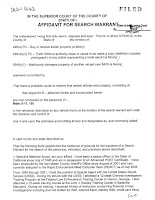
Computer in Court? Tell Me Your Story 813-222-2220 .

History of Cell Phone Searches

Cell Phone Search Warrant

Cell Phone Search Warrant, Cell Phone Search, Search and Seizure

Search Warrant
Cell Phone

Cell Phone Search Warrant


Up until quite recently, there were exceptions to the general requirement that police get a Search Warrant for a cell phone. Cell phones have been a window into suspects’ activities, as police used these exceptions to get their hands on information found inside mobile devices. Obtaining a Search Warrant for a cell phone is not that hard to do. You can review a Search Warrant for a Cell Phone here:  Here is an actual iPhone Search Warrant . GPS or Global Positioning Satellite information found in mobile phones has also been used by police.


Up until around 2014, police could and did search digital information on a cell phone seized from an individual who was arrested. Defense Attorneys would frequently challenge such searches. These searches were frequently based upon “helping” arrested citizens by making sure their property was properly inventoried by the arresting officers for safekeeping by jail personnel or by the evidence unit at the arresting agency’s office. This rationale remains a frequent flier in broad invasive “inventory” searches of automobiles during traffic stops.


Cell Phone Search, Search and Seizure, Search Warrant


Cell Phone Search, Search and Seizure, Search Warrant

Cell Phone Search Warrant

Warrant Required
Mobile Devices
Florida had outlawed warrantless phone searches before the US Supreme Court. That ruling is discussed here. Now prohibited will be mobile device and cell phone searches without a warrant. Before the 2014 United States Supreme Court ruling here was another Court’s Ruling on a Cell Phone Search. Searches Incident to a lawful arrest were previously justified by cops using issues of police officer safety and prevention of destruction of evidence.
Now under Floridalaw, a Motion to Suppress Evidence can be filed pursuant to Rule 3.190(h), Florida Rules of Criminal Procedure. Illegal Search and seizure now applies to cell phones and the Courts may exclude illegally obtained evidence including, photographs, video, text messages, directory and location data, voice mails, and emails.

Case Summary: The US Supreme Court’s ruling is that a properly obtained and issued search warrant is generally required before search of a cell phone. Here is some language from the Court’s ruling.

“Cell phones differ in both a quantitative and a qualitative sense from other objects that might be kept on an arrestee’s person. The term “cell phone” is itself misleading shorthand; many of these devices are in fact minicomputers that also happen to have the capacity to be used as a telephone. They could just as easily be called cameras,video players, rolodexes, calendars, tape recorders, libraries, diaries, albums, televisions, maps, or newspapers.”
“The sum of an individual’s private life can be reconstructed through a thousand photographs labeledwith dates, locations, and descriptions; the same cannot besaid of a photograph or two of loved ones tucked into a wallet.”
“To further complicate the scope of the privacy interests at stake, the data a user views on many modern cell phones may not in fact be stored on the device itself. Treating a cell phone as a container whose contents may be searched incident to an arrest is a bit strained as an initial matter.”
“[T]he search incident to arrest exception does not apply to cell phones . . . .”

Some Excerpts from Florida Cell Phone Search Cases:


“However, we express great concern in permitting the officer to search appellant’s cell phone here where there was no indication the officer had reason to believe the cell phone contained evidence.”
“We are equally concerned that giving officers unbridled discretion to rummage through at will the entire contents of one’s cell phone, even where there is no basis for believing evidence of the crime of arrest will be found on the phone, creates a serious and recurring threat to the privacy of countless individuals.”


How to Forfeit Most of your Assets in Federal Court in 10 Easy Steps?

How to Forfeit Most of your Assets in Federal Court in 10 Easy Steps?

How to Forfeit Most of your Assets in Federal Court in 10 Easy Steps?

Many forfeitures of assets to the Federal Government are conditions included in standard plea agreements to criminal charges in the Middle District of Florida Tampa Division. So some have asked: How can someone Forfeit Most of their Assets in Federal Court? Let me walk you through an actual case we reviewed in Tampa. I did not represent this now broke person who now lives in a Federal Prison.

Ironically, after agreeing to give up everything he owned, the defendant filed a claim in Federal Court trying to retrieve his money, other assets and a rather nice Bentley automobile. Good luck with that claim. Here is how to lose all of your stuff through an agreement with the Federal Government.

How to lose everything in a Federal Forfeiture Case in 10 Easy Steps?

  1. Commit and plead to a federal indictment that includes forfeiture provisions that usually read like this: The defendant agrees to forfeit to the United States immediately and voluntarily any and all assets and property, or portions thereof, subject to forfeiture, pursuant to Title 18, United States Code, Sections 981(a)(l)(C) and Title 28, United States Code, Section 2461(c), whether in the possession or control of the United States or in the possession or control of the defendant or defendant’s nominees. The assets to be forfeited specifically include, but are not limited to, the following: a forfeiture money judgment of at least $1,176,787.00. representing the total amount.
  2. Have a list like this one included in your plea agreement: “Items Seized from the Defendant Approximately $118,275.00 stored on 143 Green Dot and Wal-Mart Money cards; 2005 Bentley GT, Baranato Green, VIN SCBCR63W25C026307; 18 Karat Gold Rolex Oyster Perpetual Day Date Watch with a Diamond Dial; 14 Karat Gold Necklace with “RS’Pendant with 703 Diamonds; 14 Karat Gold Double Cuban Link Chrome Chain; 14 Karat Gold Men’s Ring with 1 10 Diamonds; 14 Karat Gold and Diamond Men’s Bracelet with 2,420 Round Diamonds; 14 Karat Gold Men’s Square Ring with 54 Round Diamonds; KC Stainless Steel Men’s Watch with 57 Diamonds; KC Stainless Steel Men’s Watch with 33 Diamonds; and approximately $25,000.00 in U.S. Currency; approximately $22,580 in U.S. Currency.
  3. Agree and Consent to the following: defendant “agrees and consents to the forfeiture of these assets pursuant to any federal criminal, civil, andfor administrative forfeiture action. The defendant also hereby agrees that the forfeiture described herein is not excessive and, in any event, the defendant waives any constitutional claims that the defendant may have that the forfeiture constitutes an excessive fine.
  4. Agree that the property is related to the offense charged: “The defendant admits and agrees that the conduct described in the Factual Basis below provides a sufficient factual and statutory basis for the forfeiture of the property sought by the government. Pursuant to the provisions of Rule 32.2(b)(l), the United States and the defendant request that at the time of accepting this ptea agreement, the court make a determination that the government has established the requisite nexus between the property subject to forfeiture and the offense(s) to which defendant is pleading guilty and enter a preliminary order of forfeiture. Pursuant to Rule 32.2(b)(4), the defendant agrees that the preliminary order of forfeiture shall be final as to the defendant at the time it is entered, notwithstanding the requirement that it be made a part of the sentence and be included in the judgment.
  5. Agree to help the feds find all of your stuff: “Defendant further agrees to take all steps necessary to locate property and to pass title to the United States before the defendant’s sentencing. To that end, defendant agrees to fully assist the government in the recovery and return to the United States of any assets, or portions thereof, as described above wherever located. The defendant agrees to make a full and complete disclosure of all assets over which defendant exercises control and those which are held or controlled by a nominee. The defendant further agrees to be polygraphed on the issue of assets, if it is deemed necessary….”
  6. Agree that the feds can go after other stuff too: ” The defendant agrees that the United States is not limited to forfeiture of the property described above. If the United States determines that property of the defendant identified for forfeiture cannot be located upon the exercise of due diligence; has been transferred or sold to, or deposited with, a third party; has been placed beyond the jurisdiction of the Court; has been substantially diminished in value; or has been commingled with other property which cannot be divided without difficulty; then the United States shall, at its option, be entitled to forfeiture of any other property (substitute assets) of the defendant.
  7. Agree to the Facts of the case like this: “Defendant is pleading guilty because defendant is in fact guilty. The defendant certifies that defendant does hereby admit that the facts set forth below are true, and were this case to go to trial, the United States would be able to prove those specific facts and others beyond a reasonable doubt: . . . From at least in or about March 201 1, through the present, [The Defendant who was Indicted], in part through his car dealership known as “[Name of your Business here],” engaged in a scheme and artifice to defraud the U.S. Treasury Department, commonly known as “Turbo Tax Fraud,” by filing fraudulent income tax returns and negotiating fraudulent federal income tax refunds. During the summer of 2011, law enforcement received multiple tips that [Defendant who was charged with a federal Crime] was engaging in tax fraud at his business, [Your Business Name Here]. The sources stated that [Soon to be Broke Defendant who agreed to all this] sold automobiles to buyers who paid him with United States Treasury checks obtained from the filing of fraudulent federal income tax returns. The sources advised that the fraudulently obtained Treasury checks [Name Deleted} received were for a much higher value than the sales price of the vehicles sold. Simmons then negotiated the checks and laundered the proceeds through his business accounts. Sources also stated that [defendant] filed fraudulent tax returns from his computer located at his business, . . .  and maintained a ledger that contained numerous personal identifiers associated with the filing of fraudulent tax returns such as names, dates of birth, and social security numbers of identity theft victims. The sources  further stated that Simmons would frequently possess multiple Treasury checks or prepaid debit cards in names other than his own and would place the proceeds from the negotiated checks and debit cards into his business account(s).
  8. Have your Buddy Cooperate with the Feds Like This: “On or about July 12,201 1, a cooperating defendant (CD) wearing a concealed digital audio recorder traveled to …the Middle District of Florida, and met . . advised the CD to bring him . . . Green Dot cards and he would take care of the rest.”
  9. Get videotaped in your scheme; “Surveillance video captured . . .  using a pre-paid debit card [and  on another date] captured on video .  . . making an ATM withdrawal using the card [and then] was captured on video using a money machine at at 1208 East Brandon Blvd, Brandon, in the Middle District of Florida.”
  10. Have Zero Chance of Getting Your Stuff Back Later.
Sources: 
 
Federal Court Documents

Florida Federal Court Database Search

Search Our Huge Federal Court Databases for Free!

We have hundreds of pages of information on Technology, Cybercrime, Federal Fraud claims and recent developments in Federal Courts and News. Search Centrallaw.com. Search results appear in a new tab.

Search our other federal database for free by entering your search terms below.
Search results appear in a new tab.
Tampa Federal Criminal Defense Attorney 
813-222-2220